Respond faster and close more deals with a dedicated multichannel inbox that centralizes all your lead conversations from LinkedIn and email in one place
Driving sales automation for 40,000+ fast-growing companies worldwide
5xnetwork growth
35%reply rate
How CVS Health 5x’ed Executive-Level Meetings with Dripify
Rashida Malcolm BradleyFinance Director, CVS Health
Had used Dripify before as well, and couldn’t stop vouching for it to my Senior. Dripify is that one tool which can make your Outbound Prospecting seamless. Excellent features, great UI/UX, and greater Onboarding + Support.
I’ve been using Dripify for four months and have found it very effective in building my network at a pace that I could not have imagined and to engage with new connections. The interface is easy to use and building campaigns and sequences is great.
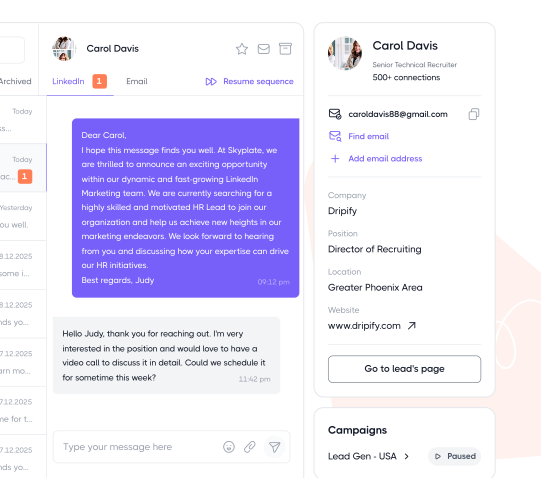
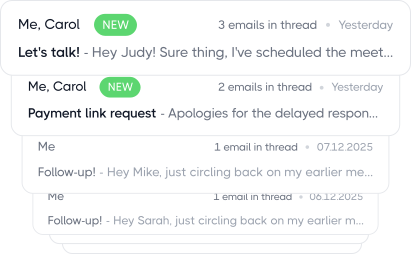
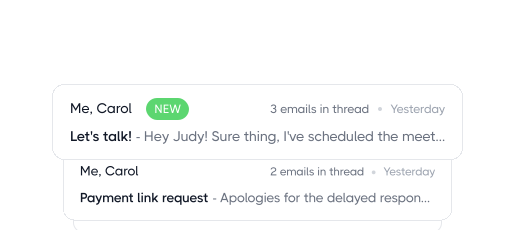
Manage all lead conversations from LinkedIn and email in one dedicated inbox – no distractions, no spam, just results-driven sales communication
coming soon
Say goodbye to inbox juggling
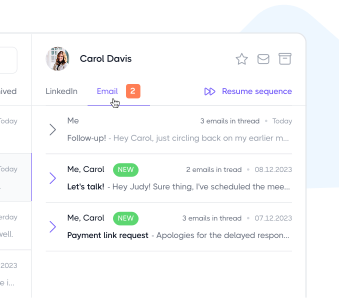
Keep your conversations with leads organized and accessible in one place. Seamlessly switch between LinkedIn and email messages without the hassle of constantly jumping between platforms.
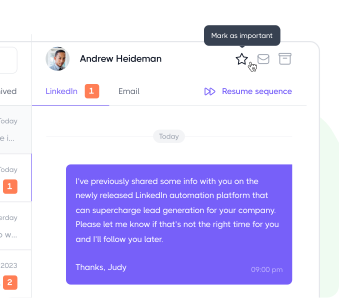
Mark conversations as important
Don’t let important messages from your leads get lost in the shuffle. With Dripify, you can easily star and keep all your critical conversations in one place.
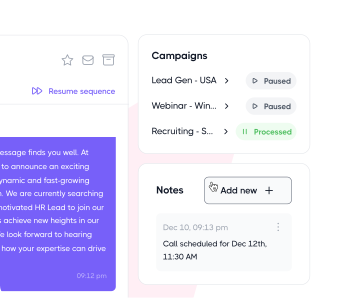
Add notes to leads profile
Need to leave a important note on a lead’s profile? With Dripify, you can easily add, modify and remove notes on the profiles of your leads with just a few clicks
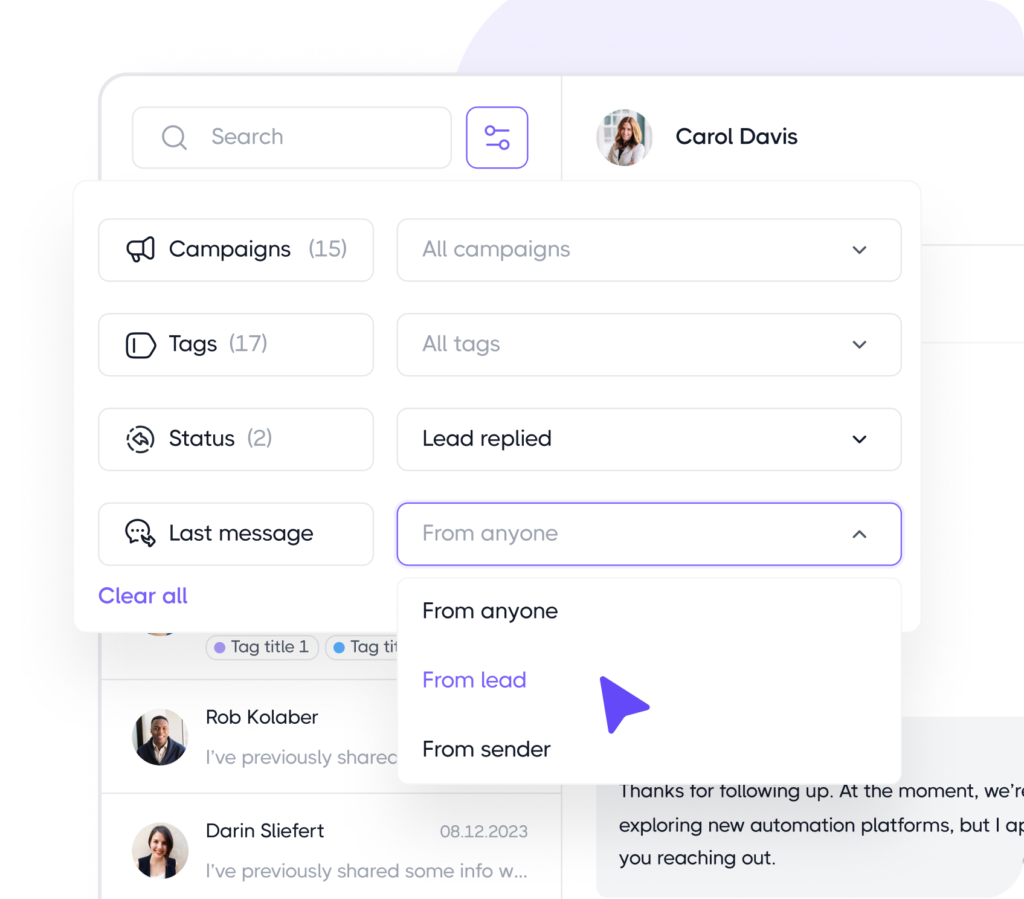
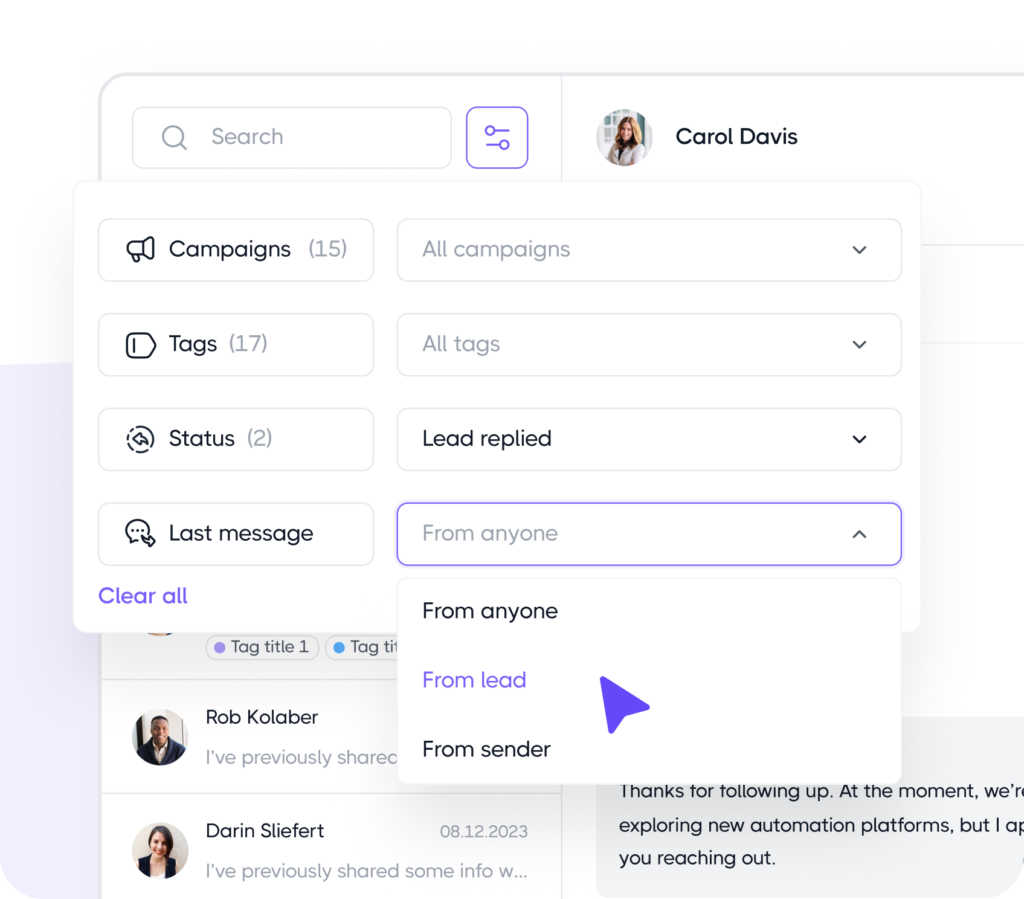
Filter conversations in advanced way
Don’t let important messages from your leads get lost in the shuffle. With Dripify, you can easily star and keep all your critical conversations in one place.
“Fantastic software for LinkedIn! Saves us a huge amount of time and we’re super happy with it. It’s a massive time saver!”
Kevin Koskella
Founder at Work Hero
“Love at first sight! The automation part hands down. You create a sequence and it’s working wonders for you, while you getting fed marketing leads from the side and work on your ‘babies’”
Arthur Isaksson
Account Manager at Tobii
“Phenomenal tool that saves time and does lead generation on LinkedIn instead of you. The cost is minimal in comparison to the level of business it can generate.”
Christian Vermeulen
Head of Sales at HHS
“Very impressive. I am a big fan of automation and Dripify is exactly what I was looking for. I have experience with other LinkedIn automation software and chrome extensions, but this one is truly superb.”
Andrew Kozic
CEO and Founder at Perfomante
“What I particularly appreciate is Dripify’s intuitive interface that makes automation simple, even for someone who isn’t tech-savvy. The ability to create drip campaigns, automate follow-ups, and track performance in real-time has saved me countless hours”
Christopher Mead
Managing Director at My Support Staff
“Having a great time using Dripify. I tried other LinkedIn automation tools like Linked Helper and Dux-Soup, but this software is just another level. I am on a free trial now, but ready to sign up once it’s over.”
Jennifer Gasenko
Marketing Director at Restream
“Dripify has helped our team with lead generation through LinkedIn tremendously. It makes it simple to use and it is on autopilot. I would highly recommend it to all business owners”
Brian Hartman
Managing Partner at Pharus Global
“I had a campaign up and running before I knew it, and it actually worked as I had intended on the first attempt. I am getting great results with the campaign and already thinking about and seeing opportunities for the next ones”
Dion-Rene Hulsman
Business Strategist at Wholistic Wealth
“Love this software and honestly, I cannot imagine working on LinkedIn without it anymore. I offer LinkedIn sales solutions to my clients and Dripify has become a great helper for me. Customer service is also fantastic.”
Angelina Shalim
Director of Recruiting at GlobalRecruit
“What I particularly appreciate is Dripify’s intuitive interface that makes automation simple, even for someone who isn’t tech-savvy. The ability to create drip campaigns, automate follow-ups, and track performance in real-time has saved me countless hours”
Christopher Mead
Managing Director at My Support Staff
“Having a great time using Dripify. I tried other LinkedIn automation tools like Linked Helper and Dux-Soup, but this software is just another level. I am on a free trial now, but ready to sign up once it’s over.”
Jennifer Gasenko
Marketing Director at Restream
“Dripify has helped our team with lead generation through LinkedIn tremendously. It makes it simple to use and it is on autopilot. I would highly recommend it to all business owners”
Brian Hartman
Managing Partner at Pharus Global
“I had a campaign up and running before I knew it, and it actually worked as I had intended on the first attempt. I am getting great results with the campaign and already thinking about and seeing opportunities for the next ones”
Dion-Rene Hulsman
Business Strategist at Wholistic Wealth
“Love this software and honestly, I cannot imagine working on LinkedIn without it anymore. I offer LinkedIn sales solutions to my clients and Dripify has become a great helper for me. Customer service is also fantastic.”
Angelina Shalim
Director of Recruiting at GlobalRecruit
Explore what else you can do with Dripify
Discover other award-winning features of Dripify, the most trusted LinkedIn automation tool
Generate leads on LinkedIn
Reach the same leads on LinkedIn and book 3x more meetings than with email alone
Discover pre-verified corporate email addresses for any LinkedIn leads with industry-leading accuracy
Frequently Asked Questions
The Dripify Smart Inbox brings your LinkedIn conversations into Dripify, so you can read and reply to leads without constantly switching back to LinkedIn.
The main difference is which conversations you see there. LinkedIn shows your entire inbox, while the Dripify Inbox contains conversations with your Dripify leads only. That keeps prospect conversations separate from everything else landing in your LinkedIn messages.
Open a conversation, and you’ll see more than just the message: where that lead is in your sequence, what outreach they’ve received, and any notes you’ve added. So you have the context to pick up right where things left off, without digging back through LinkedIn.
Pro and Advanced.
Smart Inbox is included with both plans, while Basic users will need to upgrade to manage conversations inside Dripify.
The Dripify Inbox syncs with LinkedIn automatically every 30-40 minutes, so a new reply may not show up in Dripify the moment it lands on LinkedIn.
If you don’t want to wait for the next automatic sync, hit Refresh in the top-right corner of your Inbox. A manual refresh updates up to 20 conversations at a time, and you can use it once every 5 minutes.
Got more than 20 conversations waiting? Just refresh them in batches. If there are 60, for example, you’ll need to hit Refresh three times to update them all.
Refresh also keeps your message statuses in sync. So if you’ve already opened a message in your LinkedIn inbox, refreshing Dripify will update it there too, rather than leaving it marked as unread.
You can’t simply open the Dripify Inbox and start a new conversation with any lead in your account. The conversation first needs to be initiated through a Dripify campaign.
A conversation will appear in the Inbox when:
A connection request with a personalized note is sent through a campaign, and the lead accepts it.
A connection request without a note is sent through a campaign, and the lead replies.
A LinkedIn inbox message is sent to the lead through a Dripify campaign.
Until one of these happens, there’s no conversation with that lead in the Dripify Inbox to reply to.
Yes. You can reply to a lead directly on LinkedIn while they’re still in an active Dripify campaign, but the campaign won’t pause automatically.
Dripify only auto-pauses the lead when you reply through the Dripify Inbox. If you answer them directly on LinkedIn instead, you’ll need to remove the lead from the campaign or blacklist them in Dripify yourself.
Otherwise, the sequence can keep running, and they may still receive the next automated message. For that reason, it’s better to manage LInkedIn messages from campaign leads through the Dripify Inbox whenever possible.
Of course. You can attach a file to your message and send it straight from the Dripify Inbox, without switching over to LinkedIn.
So if a lead asks for a deck, one-pager, or anything else mid-conversation, you can send it right there and keep the chat going.
Yes, you can edit a sent message in Dripify within 1 hour of sending it. It doesn’t matter whether it was sent manually through the Dripify Inbox or automatically through a campaign.
Any edits show up both in Dripify and on LinkedIn, so the recipient will see the updated version too.
Deleting is different. Whatever has already landed in the recipient’s LinkedIn inbox stays there, so you can’t use Dripify to unsend or retract it.
Step 1/2
Suggest an integration
Tell us the name of the software you wish to connect with Dripify and explain how exactly you intend to utilize this integration
Suggest an integration
Please fill the following fields to continue
Thanks a ton for suggesting your integration as the next one for us
We love that you took the initiative! We'll check it out and let you know the possibility to implement it in short term. Stay tuned for an update from us!
A/B test your message
Sign up here to be first in line when our exciting new feature rolls out
You’re on the list - stay tuned!
Awesome! Thanks for joining the waitlist! We'll reach out with an exclusive email when it's ready to launch. It might take a bit, but we promise to bring the news straight to you
Free 7-day trial. No credit card required. Cancel anytime
Select topics
Step 1/5
Thanks a ton for requesting your custom masterclass!
Ready to dive in? We hear you loud and clear! Just give our sales team a tiny bit of time to personalize your quote, and we'll be in touch within 24 hours.