Had used Dripify before as well, and couldn’t stop vouching for it to my Senior. Dripify is that one tool which can make your Outbound Prospecting seamless. Excellent features, great UI/UX, and greater Onboarding + Support.
I’ve been using Dripify for four months and have found it very effective in building my network at a pace that I could not have imagined and to engage with new connections. The interface is easy to use and building campaigns and sequences is great.
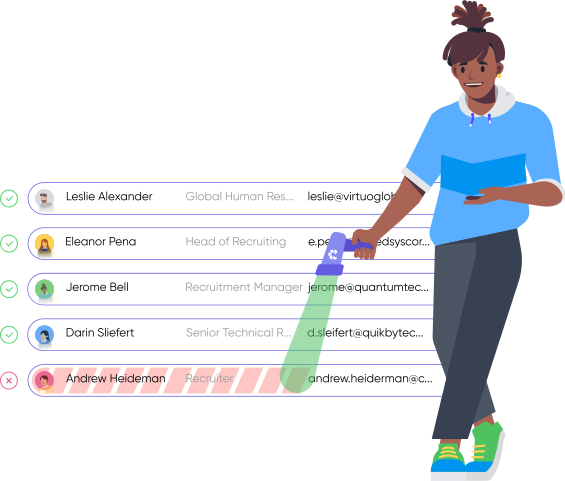
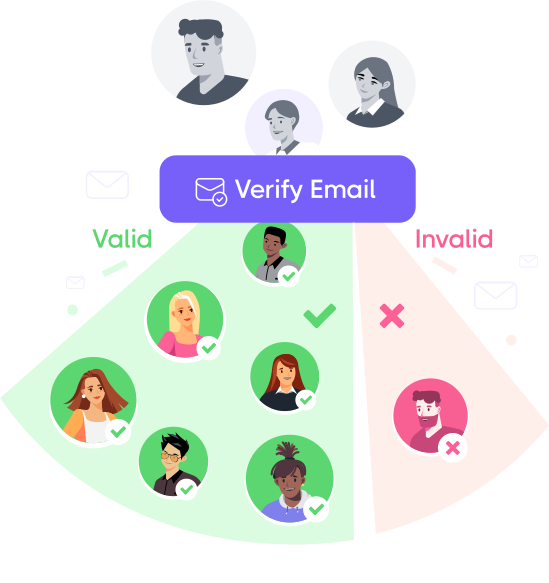
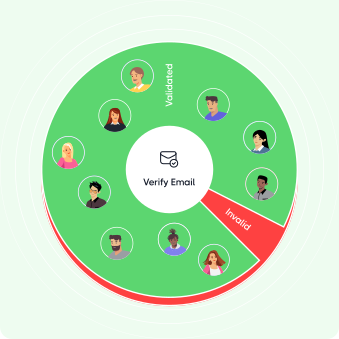
Remove hard bounces, disposable, and catch-all emails to maintain a clean list and send emails confidently without harming your domain reputation
Advanced Email Checker, Built In
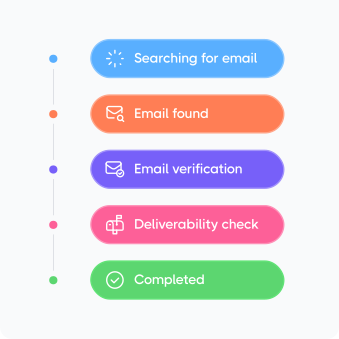
Behind every found email is a multi-step validation process that checks multiple providers and gives you a better chance of reaching a real inbox from the start
Get your emails delivered to the right inbox, every time
Don’t let bounce rates hurt your email reach – email validation keeps you within strict limits on bounces, spam complaints, and unsubscribes while helping your emails land in the main inbox
1000+ Software
Put verified emails to work everywhere
Connect Dripify with the tools you already use to validate email addresses, update lead records, and keep every workflow working with clean data
I’ve tried other solutions, but Dripify is the king. First, customer support! I had the response on any question in a matter of seconds. Then, the product itself, to be able to do a workflow for your campaign and to push later your contacts to a CRM that’s priceless compared to other products!
Khaled A.
Founder, CEO Financial Services
Best tool for linkedin marketing. The ability to automate tasks such as connection requests, personalized messaging, and content sharing not only saves valuable time but also allows for more strategic and targeted outreach
Sameer A Malik
Co- Founder & VP of Growth Adware Technologies Pvt. Ltd.
Simple to use, great videos, easy to set up. like all things though, take the time to understand your audience. It isn’t set and forget, you do need to grow and learn with your audience and make sure that what you are sending adds value.
Steven Sebbes
Try out a smarter way to crush sales
Kickstart your sales outreach campaign today and see your first results in less than 48 hours, while enjoying your free trial
Explore what else you can do with Dripify
Discover other award-winning features of Dripify, the most trusted LinkedIn automation tool
Generate leads on LinkedIn
Reach the same leads on LinkedIn and book 3x more meetings than with email alone
No, email verification is automatic in Dripify. Whenever Email Finder locates a business email for a lead, Dripify verifies the address before making it available to you. There’s no separate verification step to run and no need to export your emails to a separate email verification tool just to check them.
That also helps keep bounce risk down. Instead of sending to an unverified address pulled from a scraped or purchased list, you’re starting with an email that Dripify has already checked before it reaches your outreach.
Dripify checks whether an email address is valid, correctly formatted, and hosted on an active mail server that can accept messages.This helps catch things like typos, non-existent addresses, and inactive domains before you send an email.
There is one thing email verification can’t tell you, though: whether the person still actively uses that mailbox. For example, an address belonging to someone who left a company six months ago may still technically be valid and pass verification, even if nobody is checking it anymore.
No, verification is tied to Email Finder only. When Dripify finds a business email for you, it verifies that address automatically as part of the same search.
Emails you bring in yourself are a different case. You can import an existing lead list via CSV and use it in campaigns, but Dripify won’t verify those addresses, since they didn’t come from Email Finder.
If you need a list checked before sending, you’d run it through a dedicated email validation tool first.
A hard bounce means an email can’t be delivered permanently, while a soft bounce usually points to a temporary delivery problem.
A hard bounce can happen when, for example, the email address no longer exists or the domain is inactive. That’s why it’s important to validate email addresses before sending: too many hard bounces can hurt your reputation.
A soft bounce can happen because the recipient’s inbox is full, their email server is temporarily unavailable, or the message is too large. Since the issue may be temporary, the address itself can still be valid.
Dripify treats any bounce the same way: once an address bounces, it stops sending to it, whether the cause was permanent or temporary.
No, you don’t spend an extra credit to verify an email address.When Email Finder finds a business email, Dripify automatically verifies it as part of the same search.
In other words, the credit is used to run the email search. If an address is found, its verification is already included, so you aren’t charged once for finding the email and again for verifying it.
Step 1/2
Suggest an integration
Tell us the name of the software you wish to connect with Dripify and explain how exactly you intend to utilize this integration
Suggest an integration
Please fill the following fields to continue
Thanks a ton for suggesting your integration as the next one for us
We love that you took the initiative! We'll check it out and let you know the possibility to implement it in short term. Stay tuned for an update from us!
A/B test your message
Sign up here to be first in line when our exciting new feature rolls out
You’re on the list - stay tuned!
Awesome! Thanks for joining the waitlist! We'll reach out with an exclusive email when it's ready to launch. It might take a bit, but we promise to bring the news straight to you
Free 7-day trial. No credit card required. Cancel anytime
Select topics
Step 1/5
Thanks a ton for requesting your custom masterclass!
Ready to dive in? We hear you loud and clear! Just give our sales team a tiny bit of time to personalize your quote, and we'll be in touch within 24 hours.