
10 Best Sales Prospecting Tools 2026


Tired of spending hours searching for prospects, only to end up with dead-end leads and low response rates? Sales prospecting tools help you find, qualify, and reach the right prospects faster and at scale.
We compared 10 of the best sales prospecting tools in 2026 based on their prospecting capabilities, use cases, automation features, integrations, deployment, data quality & account safety, and pricing to help you pick a platform that best fits your sales workflow.
Contents:
See which platforms will actually keep your pipeline full.
Quick Picks: Best Sales Prospecting Tools 2026
| Tool | Best For | Starting Price | Biggest Strength | Main Limitation |
|---|---|---|---|---|
| Dripify | End-to-end prospect sourcing, enrichment, and LinkedIn + email prospecting | $39/mo (annual) | Prospect sourcing, email lookup & verification, multichannel outreach | No Chrome extension, fully cloud-based |
| Octopus CRM | LinkedIn-only prospecting automation on a budget | $6.99/mo (annual) | Most inexpensive Linkedin prospecting software | Lack of email-based prospecting |
| Calendly | Booking meetings with qualified prospects | $10/user/mo (annual) | Removes scheduling friction | Not a complete prospect discovery platform |
| ZoomInfo | Enterprise B2B prospect data and contact intelligence | Custom pricing | Massive, intent-enriched B2B contact database | Opaque, credit-based pricing that scales quickly |
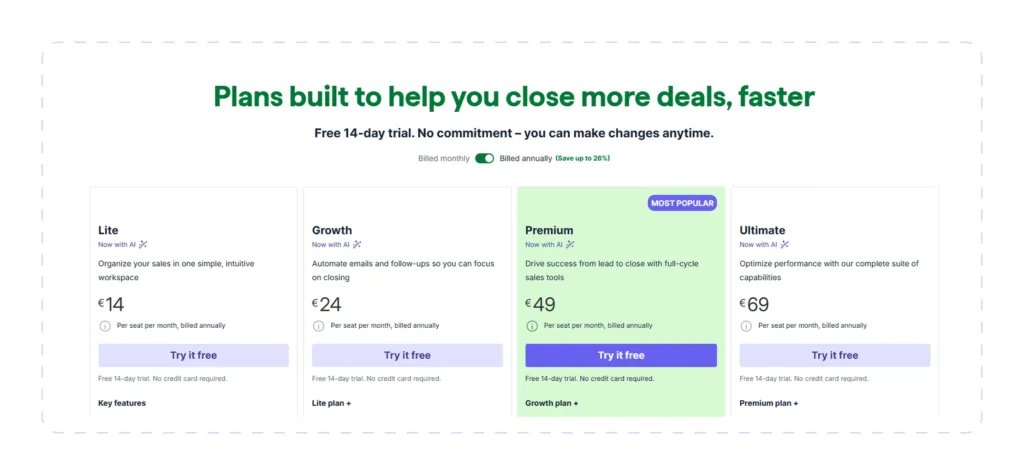
| Pipedrive | Managing prospects throughout the sales pipeline | €14/user/mo (annual) | Visual pipeline management | No native LinkedIn prospecting automation + limited built-in lead discovery |
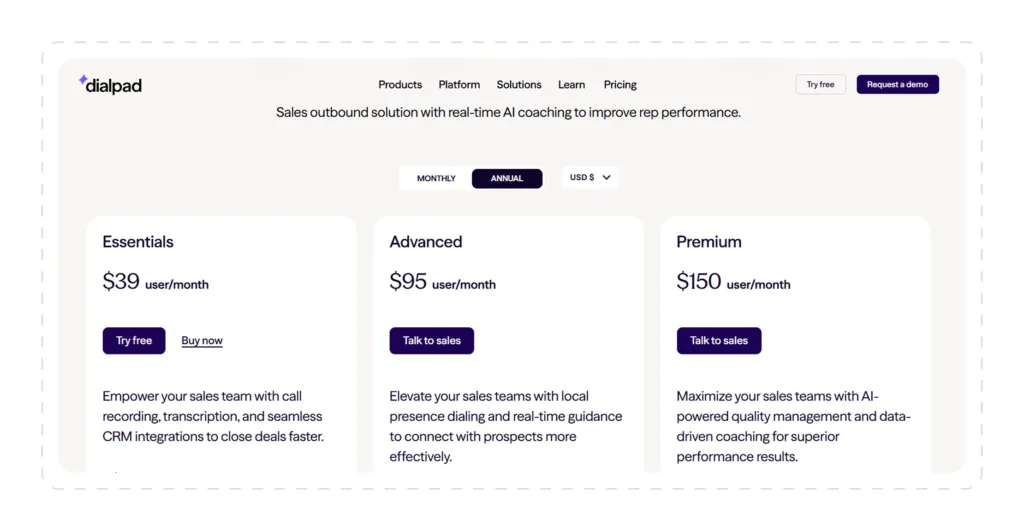
| Dialpad | AI-assisted outbound calling and engaging prospects | $39/user/mo (annual) | AI call transcription and real-time coaching | Primarily a communication tool, not a prospecting source |
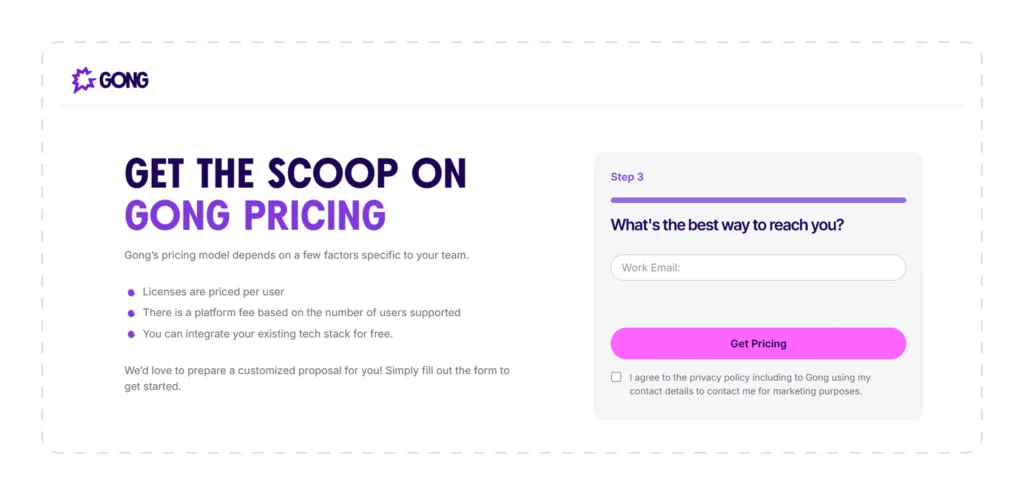
| Gong | Analyzing prospect conversations for deal intelligence | Custom pricing | Best-in-class conversation AI and revenue intelligence | No built-in B2B contact database |
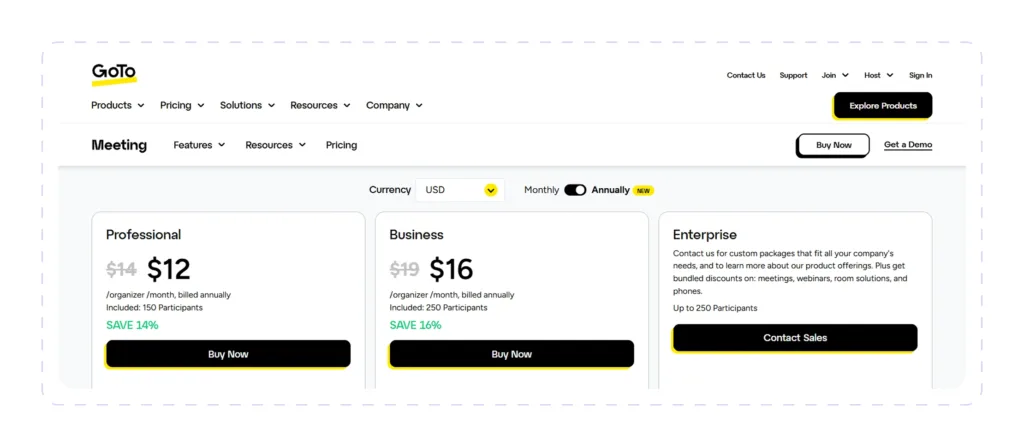
| GoTo | Video meetings for prospect demos and discovery calls | $12/organizer/mo (annual) | Consistent call quality with minimal setup | No lead discovery capabilities |
| Cognism | Finding verified B2B phone numbers and prospect intent data | Custom pricing | Human-verified mobile numbers and GDPR compliance | No native outreach automation + premium pricing |
| Coupler.io | Syncing prospect data across sales tools | $24/mo (annual) | No-code data sync from 400+ sources into spreadsheets and BI tools | Not a complete standalone prospecting tool |
Pricing and features are current as of September 2026. Vendors update these plans regularly, so be sure to check the website of each provider for the latest info before purchasing.

Most sales teams don’t need more prospects; they need a unified prospecting process.
A prospect finder, an email verifier, a meeting scheduler, and an opportunity tracker are all part of the same suite of tools. The time spent navigating tabs will eventually outweigh the time spent interacting with customers.
The best sales prospecting software brings these activities together.
The sales prospecting tools featured in our list will help you identify ideal customers, enrich contact records, automate repetitive outreach, organize opportunities, and measure results so your team can focus on selling instead of administrative work.
How We Selected the Best Sales Prospecting Tools 2026
There’s no single “best” sales prospecting tool for every business.
Some teams need accurate contact databases, LinkedIn prospecting, or meeting schedulers. Others need multichannel outreach, CRM management, or AI conversation intelligence.
Instead of announcing a single victor, we compared each tool on this list based on features that are important in real life, not just in a demo.
- Prospecting features: how effectively the platform helps users identify, qualify, organize, and enrich prospects.
- Breadth of use cases: the variety of prospecting activities the sales prospecting software handles, including lead generation, scheduling, and call coaching.
- Automation depth: the extent to which the platform streamlines the prospecting process with automation and AI.
- Integrations: how well the tool syncs with CRMs, sales engagement platforms, calendars, communication tools, and other software.
- Deployment type: is it cloud-based, a desktop app, or a browser extension?
- Data quality & account safety: the accuracy of prospect data and any safeguards that help reduce compliance or platform risks.
- Pricing: plan costs, overall value, scalability, and pricing transparency.
What Are Sales Prospecting Tools?
Sales prospecting tools help you identify, qualify, and engage prospects more efficiently than manual research and outreach alone.
Some software solutions specialize in finding verified business contacts. Others automate LinkedIn & email prospecting, manage sales pipelines, analyze conversations, schedule meetings, or consolidate sales data into actionable reports.
The best ones combine prospect finder, data enrichment, intent signals, CRM synchronization, outreach automation, and conversation intelligence into a unified workflow.
Good to know:
Before paying for a prospecting tool, check that it covers accurate contact data, more than one outreach channel, calendar and CRM syncing, some form of call or conversation insight, built-in compliance safeguards, and reporting you can actually act on.
 Good to know:
Best Sales Prospecting Tools 2026
Dripify

Dripify runs LinkedIn and email prospecting from one cloud dashboard, cutting out the usual hop between a prospect finder, a scraping tool, a separate email finder, and a third app for sequencing.
You can source prospects from multiple LinkedIn channels, enrich them, and move them directly into automated LinkedIn and email sequences within Dripify.
And since the email lookup and verification live inside the same platform, a list sourced from LinkedIn doesn’t need to leave Dripify before it’s outreach-ready.
Best for:
SDRs, B2B sales teams, agencies, and recruiters who want end-to-end LinkedIn and email prospecting to run from a single sequence.
 Best for:
Key Use Cases:
- Building highly targeted prospects list directly from LinkedIn
- Business email lookup and verification
- Running combined LinkedIn + email prospecting sequences on autopilot
- Monitoring sequences and rep performance from one dashboard
Prospecting Features:
- Capture prospects from LinkedIn Search, Sales Navigator, and Recruiter Lite
- Source prospects from LinkedIn groups, events, your existing network, and individual profile URLs
- Upload existing lead lists via CSV
- Use the built-in Email Finder and Verifier to enrich prospect profiles with verified business email data
- Automatically tags, filters, and removes duplicate prospects
- Organizes and assigns prospects across a shared team workspace based on user roles
Automation Features:
- Easy-to-use visual drag-and-drop builder for multistep prospecting sequences
- Build an automated sequence comprising profile visits, connection requests, LinkedIn messages, InMail, and email
- Uses conditional logic and customizable delays to control the flow of outreach
- The wide range of dynamic variables makes it easy to personalize messages at scale
- You can update ongoing sequences without pausing or starting from the beginning
- Stops a loop automatically when a potential customer responds
Data Compliance & Account Safety:
- Executes automation from the cloud through a dedicated IP and isolated browser session
- Configurable working hours per connected account
- Randomized timing between actions to prevent predictable patterns and possible restrictions
- A cooldown mode that throttles activity automatically when triggered
Pros:
- Prospect sourcing and outreach from a single platform
- Integrated LinkedIn and email prospecting automation
- Native email finder removes the need for a second enrichment tool
- Visual sequence builder that allows you to combine LinkedIn & email actions
- Solid team-level reporting and lead assignment
- Adjustable account-safety controls
- Everything is cloud-based, so there’s no need to install any software or add any extensions to your browser
Cons:
- No Chrome extension for teams that prefer browser-based tools
- Built specifically for B2B outbound, so it’s overkill for general email marketing
Integrations: Connects with major CRMs, plus 1,000+ apps through Zapier and Make
Deployment: Cloud-based
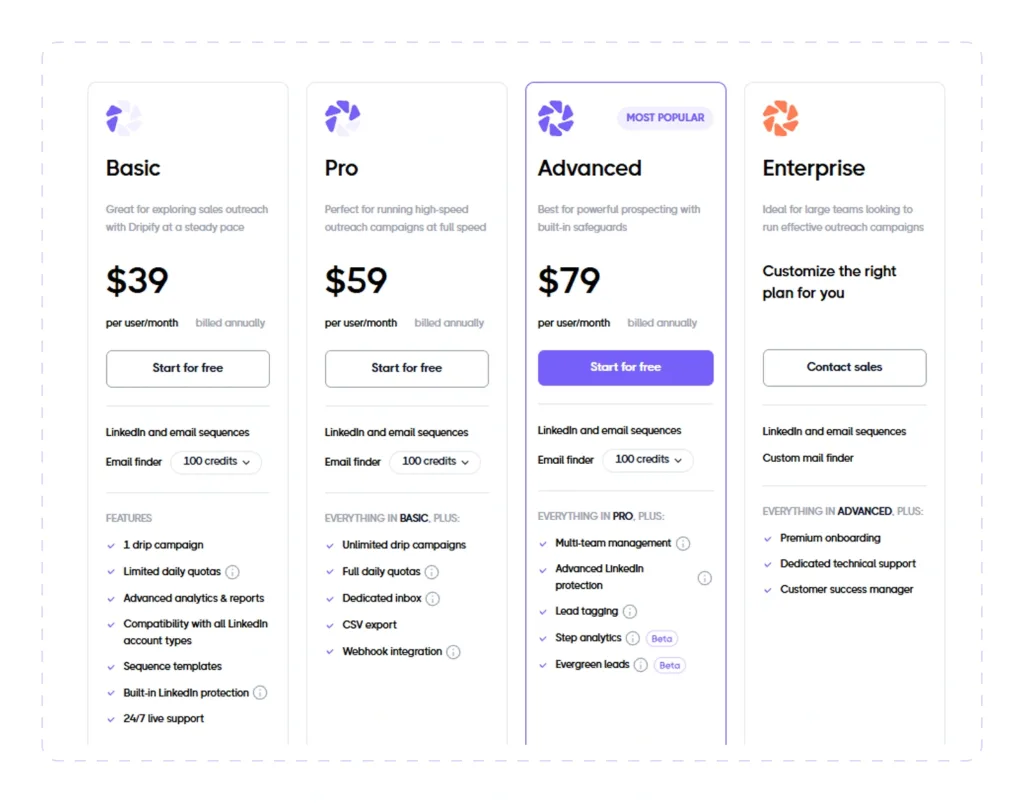
Pricing: Starts at $39/month (annual billing). Includes a 7-day free trial with no credit card required.
Octopus CRM

Octopus CRM is a very economical LinkedIn prospecting Chrome extension that helps sales professionals find prospects, add them to campaigns, and automate core outreach activities.
Prospects come in from LinkedIn searches or an imported list, then move through an automated sequence comprising profile visits, connection invites, skill endorsements, and follow-up messages.
Best for:
Solo users, recruiters, founders, and small teams that want to automate LinkedIn prospecting on a tight budget.
Key Use Cases:
- Building a network of prospects from LinkedIn
- Automating repetitive prospecting steps like profile visits, connection requests, and messaging
- Moving contacts through a simple outreach funnel
- Exporting prospect activity into an existing sales tool
Prospecting Features:
- Sources prospects from LinkedIn Search, Sales Navigator, Recruiter Lite, and profile URLs
- CSV import for existing prospect lists
- Exports lead and campaign data back out to CSV
- Built-in CRM to organize prospects
- Bulk profile visits and messaging
- Tracks profile views, search appearances, acceptance rates, and Social Selling Index
Automation Features:
- Create multi-step, self-executing LinkedIn prospecting sequences
- Send automated yet personalized connection requests
- Automatically message first-degree connections in bulk
- Visits profiles and endorses skills of prospects in autopilot mode
- Run automated follow-up and thank-you sequences
- Personalizes invitations with dynamic variables
- Switches to sending automated connection requests via email when you reach LinkedIn’s weekly limit
Data Compliance & Account Safety:
- Adds randomized delays between automated actions to stay closer to human pacing
- A built-in Activity Control feature monitors automated actions
- Warns users when automation approaches higher activity levels
Pros:
- Specialized LinkedIn prospecting tool working across LinkedIn Free, Premium, Sales Navigator, and Recruiter Lite
- Easy to set up and use
- Useful campaign tracking with flexible import/export options
- Among the most affordable options in this category
Cons:
- LinkedIn-only, not a multichannel prospecting tool
- Automation requires the browser to stay open
- No native intent data for identifying in-market prospects
- Limited conditional logic compared to cloud-native automation tools
Integrations: HubSpot + connections to Google Docs, Salesforce, Pipedrive, Zoho CRM, Asana, and other apps through Zapier.
Deployment: Chrome extension
Pricing: Starts at $6.99/month (annual billing), with the Unlimited plan reaching $24.99/month. A 7-day free trial of the Unlimited plan is available without a credit card.

Calendly
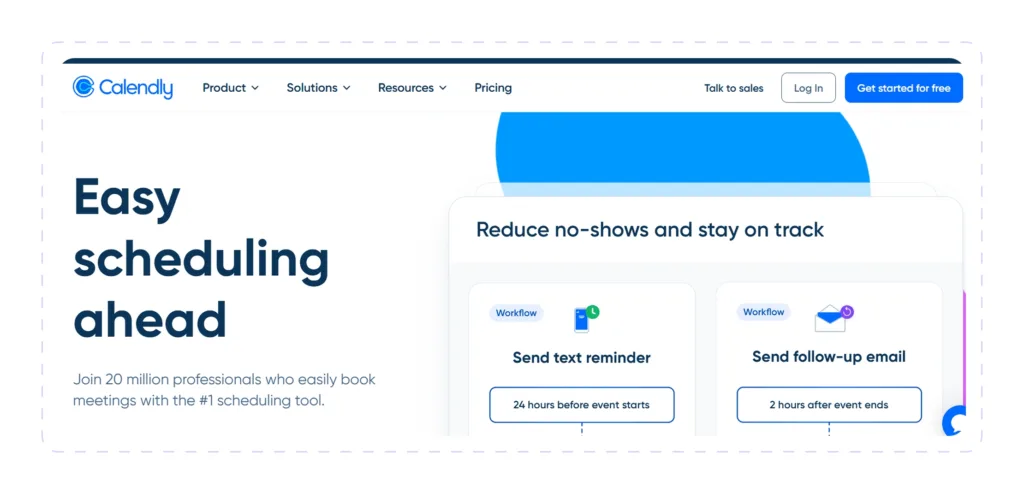
Calendly’s job in a prospecting stack is deceptively simple: turn a “sure, let’s talk” reply into a slot on the calendar without another email round-trip.
When a prospect shows interest, Calendly ensures they can book meeting time instantly, reducing friction and drop-off. A prospect gets a link, picks a time that works, and the meeting lands on both calendars automatically without chasing down availability.
Best for:
Sales teams looking for a solution to convert prospect replies and inbound interest into booked discovery calls without scheduling emails.
Key Use Cases:
- Booking discovery and demo calls with prospects
- Automatically routing inbound prospects to the right rep
- Coordinating follow-up meetings across a longer sales cycle
- Reducing no-shows with automated reminders
Prospecting Features:
- Shareable, personalized booking links and embeddable scheduling pages for outbound prospecting
- Automatic prospect distribution across team members with round-robin scheduling
- Prospect qualification and routing rules
- Group and collective event types for team-based prospecting
Automation Features:
- Automated meeting reminders and follow-up workflows
- Salesforce meeting sync and lead-to-meeting routing
- Trigger CRM updates and workflow automations after meetings are booked
- Zapier connections for CRM-triggered actions
Data Compliance & Account Safety:
- SOC 2 compliance, with optional Single Sign-On on Enterprise
- Admin-level control over booking pages and shared data
- Audit-ready meeting logs and advanced reporting on higher tiers
- Real-time calendar synchronization helps prevent double bookings
Pros:
- Cuts scheduling friction out of the outreach funnel entirely
- Lead routing ensures prospects reach the right rep
- Fast setup on both the rep and prospect side
- Solid CRM and calendar integrations
Cons:
- Does not discover or enrich prospects
- No built-in outreach automation
- Advanced routing and workflow automation require higher-tier plans
Integrations: Salesforce, HubSpot, Marketo, Pardot, Zoom, Zapier, Google and Microsoft calendars, and Microsoft Dynamics 365 (enterprise).
Deployment: Cloud-based web and mobile platform.
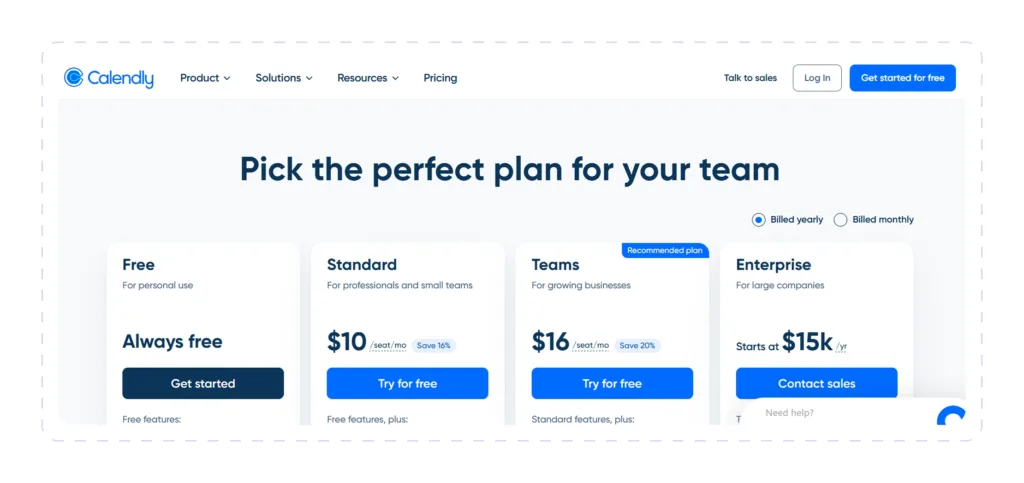
Pricing: Free plan available. The Standard plan starts at $10 per user per month (annual billing), the Teams plan is $16 per user per month (annual billing), and the Enterprise plan is custom-priced, typically starting around $15,000 per year.
ZoomInfo
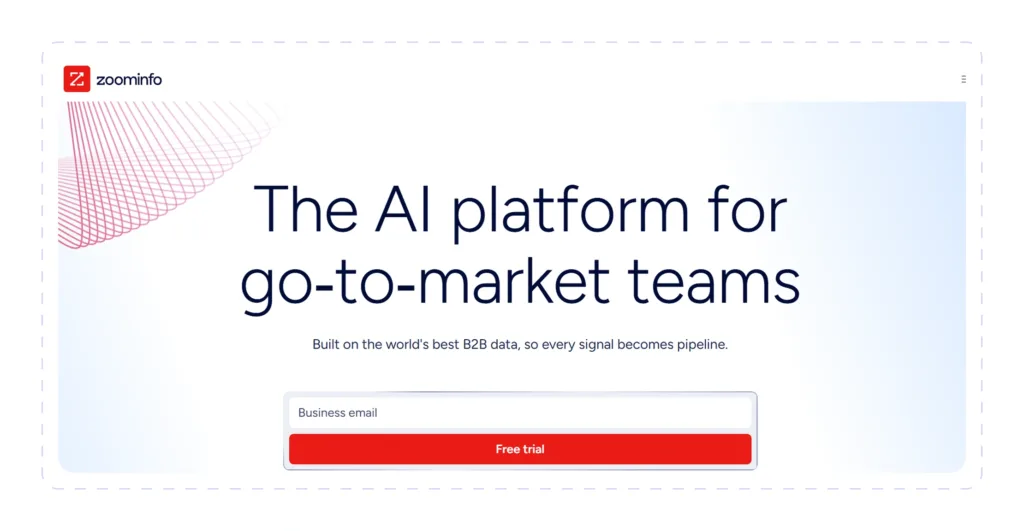
ZoomInfo is a business-to-business sales intelligence platform that gives users access to a massive, verified database of prospects, including companies, decision-makers, and signals of buyer intent.
Sales teams use ZoomInfo to build targeted prospect lists and enrich existing leads with verified contact data. Plus, it layers in job-change alerts and technographic filters so reps can identify accounts that already appear to be shopping.
Best for:
Enterprise and mid-market teams that need a large, well-maintained contact database to run high-volume outbound prospecting.
Key Use Cases:
- Building targeted account and prospect lists based on firmographic and technographic criteria
- Enriching prospect records with verified email addresses and phone numbers
- Identifying decision-makers and champions within target accounts
Prospecting Features:
- Access to a massive B2B prospects database
- Advanced search filters across both contacts and companies
- Direct-dial numbers and verified email addresses
- Streaming Intent add-on that flags prospects actively researching a topic
- WebSights for identifying otherwise-anonymous website visitors
Automation Features:
- Auto-enrichment of lead records in connected CRMs
- Engage add-on for building and sending outreach sequences to prospects
- Automatic CRM enrichment and record syncing
- Automated alerts for job changes, company news, and intent signals
Data Compliance & Account Safety:
- Enterprise-grade data governance, audit trails, and access controls
- Documented opt-out and data-accuracy processes
- Scoped, permissioned API access for integrations
Pros:
- One of the largest, most frequently refreshed B2B prospecting databases
- Strong intent-data layer for prioritizing who to call first
- Verified contact data reduces bounce rates
- Built to scale with large, multi-team sales orgs
Cons:
- Everything is done through a sales quote; there is no published pricing
- Credit-based usage can run dry fast for teams prospecting heavily
- Requires an annual contract
Integrations: Salesforce, HubSpot, Microsoft Dynamics, Outreach, Salesloft, and other CRMs and sales-engagement platforms.
Deployment: Cloud-based web platform with a Chrome extension.
Pricing: Custom quote. Publicly reported contracts commonly start around $15,000/year for a small seat count.
Pipedrive
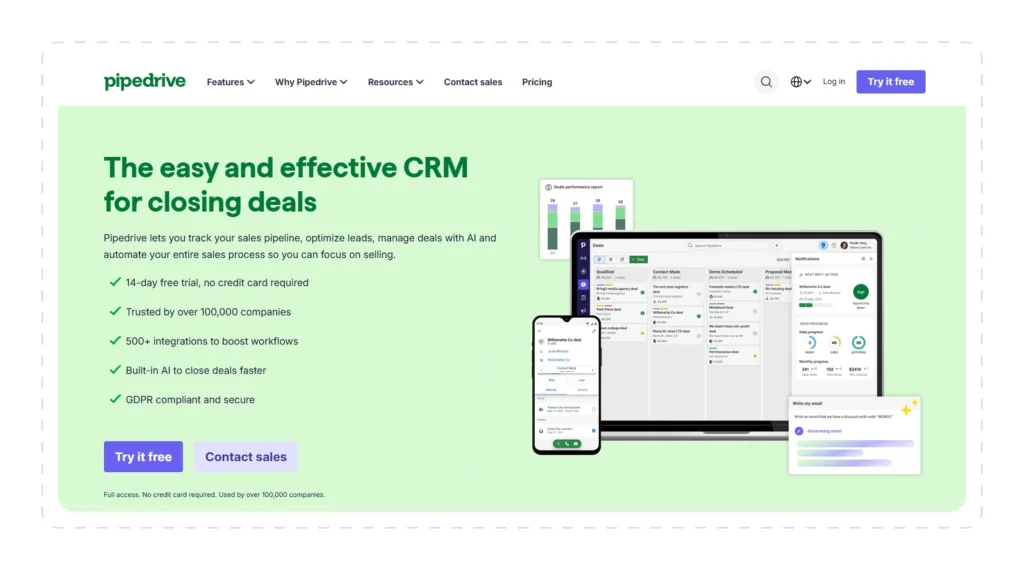
Pipedrive is a sales CRM that helps teams organize, track, nurture, and move prospects through every stage of the sales pipeline.
The platform allows you to capture prospects from multiple sources, qualify opportunities, automate follow-up tasks, and monitor pipeline performance from a visual dashboard.
Best for:
Small to mid-sized B2B sales teams looking for a visual, pipeline-driven CRM to manage prospect relationships from first touch to close.
Key Use Cases:
- Visualizing where each prospect sits in the sales process
- Tracking prospect interactions across multiple channels, including calls and emails
- Forecasting pipeline value from active prospects
Prospecting Features:
- Visual pipeline management with drag-and-drop deal tracking
- LeadBooster add-on with a large database for outbound prospecting
- Store prospect details, notes, activities, and communication history in one place
- Score and prioritize prospects using custom fields and filters
Automation Features:
- Automatically assigns leads to sales representatives after you set up custom distribution rules
- Automated notifications about pipeline activity
- AI-driven deal insights, recommendations, and pipeline optimization tips
- Automated CRM updates and report creation
Data Compliance & Account Safety:
- Role-based permissions and user access controls
- Secure cloud infrastructure with data encryption
- Automatic data backups
- GDPR-compliant data management features
Pros:
- Simple, rep-friendly interface built around visual pipeline stages
- Reasonable entry pricing and scalability for solo reps and small teams
- Strong prospecting workflow automation capabilities
Cons:
- Complete prospecting requires users to use the LeadBooster add-on at extra cost
- Workflow automation and prospect scoring sit behind higher tiers
- Limited native email verification and enrichment
Integrations: Google, Microsoft Teams, HubSpot, Zoom, Calendly, Slack, Mailchimp, Zapier.
Deployment: Cloud-based web platform with mobile apps.
Pricing: Pipedrive’s four plans run €14 (Lite), €24 (Growth), €49 (Premium), and €69 (Ultimate) per seat/month, billed annually, with a free 14-day trial.
Dialpad
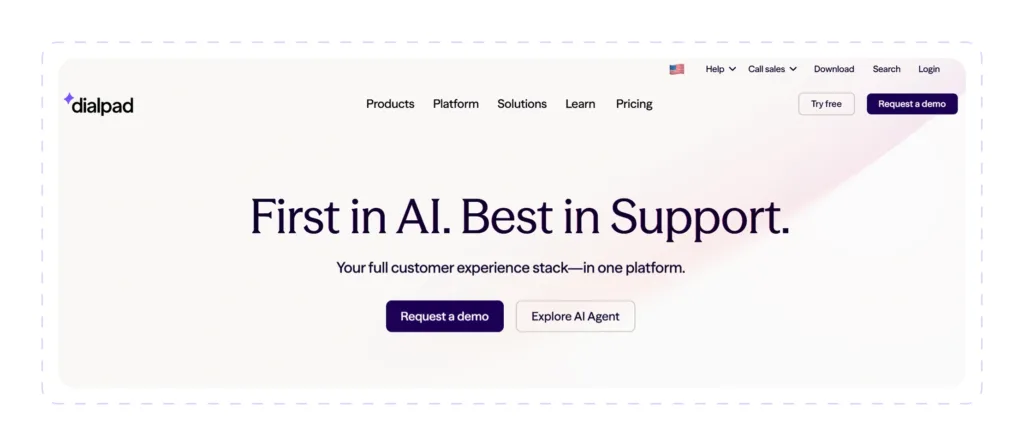
Dialpad is an AI-powered business communications platform that helps sales reps connect with prospects through phone calls, SMS, video meetings, and messaging from a single workspace.
The platform puts an AI coach on every outbound call to automatically perform real-time transcription, sentiment analysis, talk-to-listen ratio tracking, and automated call summaries.
Best for:
Outbound teams that prospect mainly by phone and want live AI support during and after every call.
Key Use Cases:
- High-volume prospect calling with real-time AI assistance
- Call transcription and automated note-taking
- Sales coaching through conversation analysis
- Multi-channel prospect engagement (voice, video, messaging)
Prospecting Features:
- A power dialer built directly into Dialpad Sell makes it easy to call prospects
- Live battle cards that surface during the call itself
- Send SMS & MMS to prospects
- AI Playbooks tracking whether reps are sticking to a talk track
Automation Features:
- Automatic recording of conversations with prospects
- Real-time transcription with post-call summaries
- Automated CRM logging of call activity and outcomes
- AI-generated call summaries and follow-up suggestions
Data Compliance & Account Safety:
- Enterprise-grade encryption for voice and messaging
- Role-based user permissions and administrative controls
- Compliance features supporting various business and regulatory requirements
Pros:
- AI-powered conversation intelligence integrated into calling
- Real-time coaching and sentiment analysis
- Unified platform for all prospect communications
Cons:
- Does not find or enrich prospects; primarily a communication tool
- AI and deeper coaching features require higher-tier plans
- Add-on fees (extra numbers, international minutes, admin charges) push the real cost up
Integrations: Salesforce, HubSpot, Microsoft Teams, Google Workspace, Zendesk, and more.
Deployment: Cloud-based with desktop, mobile, and browser apps.
Pricing: Dialpad Sell starts at $39/user/month (Essentials, annual billing), with Advanced at $95/user/month and Premium at $150/user/month. There is a 14-day free trial.
Gong
Gong captures and analyzes every prospect interaction across calls, emails, and video meetings to deliver insights to sales teams.
The built-in AI uncovers buyer intent, highlights successful prospecting patterns, and recommends next steps, helping reps identify high-value opportunities and engage prospects more effectively.
Best for:
Mid-market and enterprise prospecting teams that want a data-backed view of what’s happening on prospect calls, used for both coaching and forecasting.
Key Use Cases:
- Analyzing prospecting calls to identify winning patterns
- Coaching reps on effective prospecting techniques
- Identifying deal risks and next-step commitments from actual calls
Prospecting Features:
- Automatic recording and transcription of calls and meetings with prospects
- Identify key decision-makers and stakeholder involvement
- Deal-risk and buyer-engagement scoring
- Competitor and objection tracking across every call
Automation Features:
- CRM autofill pulled directly from call data
- AI-generated follow-up emails with links to call records
- Automated coaching scorecards
- Cross-deal intelligence surfacing patterns across an entire team
Data Compliance & Account Safety:
- Enterprise security and compliance
- Built-in call-recording consent workflows
- Role-based access and permission controls
Pros:
- Best-in-class conversation AI for prospecting
- Provides excellent visibility into prospect behavior and sales execution
- Impressive coaching and enablement features
Cons:
- Does not source or enrich new prospects
- Enterprise pricing and annual contract with no self-serve option
- Price is not available publicly; must speak with sales for a custom quote
Integrations: Salesforce, HubSpot, Salesloft, Zapier, Make.
Deployment: Cloud-based web platform.
Pricing: Custom quote. Publicly reported figures put per-user costs around $1,300 to $1,600/year, on top of a platform fee that commonly starts at $5,000 and rises from there.
GoTo
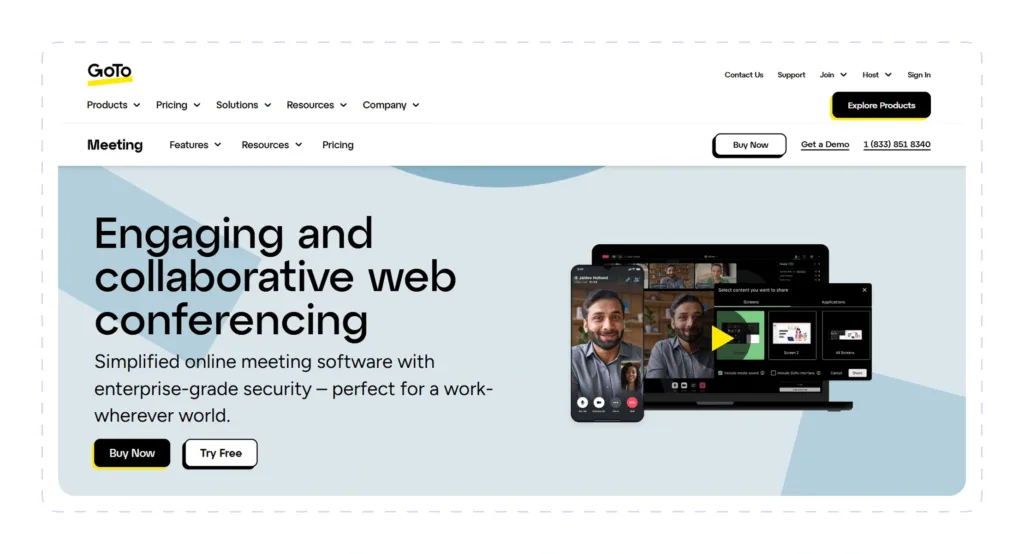
GoTo is a video conferencing platform that helps sales teams connect with prospects through virtual discovery calls, product demonstrations, and follow-up meetings.
Sales professionals can schedule secure online meetings, share presentations, collaborate with prospects in real time, and record conversations for future reference.
Best for:
Sales teams regularly holding virtual discovery calls, product demos, and meetings with qualified prospects.
Key Use Cases:
- Conducting virtual discovery calls with prospects
- Running product demos and presentations
- Recording meetings for internal review and coaching
- Collaborating with prospects through screen sharing
Prospecting Features:
- HD video conferencing for virtual prospect meetings
- Personal online meeting rooms for recurring prospect touchpoints
- Support for one-on-one and group meetings with prospects
- Screen sharing for live demos
Automation Features:
- Automated meeting links generation
- Calendar integrations for scheduling
- AI meeting summary
- Automated meeting reminders
- Automatic recording-to-transcript workflows on eligible plans
Data Compliance & Account Safety:
- End-to-end encryption for supported meeting sessions
- HIPAA-compliant configurations available
- Meeting passwords and waiting rooms to control participant access
- Admin-level control over meeting access on Enterprise plans
Pros:
- Good call quality even on weaker connections
- Fast, low-friction setup for both rep and prospect
- Competitive entry pricing relative to alternatives
- Works across desktop, browser, and mobile devices
Cons:
- Does not find or qualify prospects
- No native outreach or prospecting automation
- Fewer AI-driven features than newer meeting and conversation-intelligence tools
Integrations: Outlook, Google Calendar, Zendesk, and CRM connectors, including Salesforce and HubSpot.
Deployment: Cloud-based web and desktop application.
Pricing: Organizers pay monthly fees of $12 for Pro members and $16 for Business members, all billed annually. Get a 14-day free trial at enterprise pricing. No credit card needed.
Cognism
Cognism is a sales intelligence platform that allows sales teams to build targeted prospect lists through its global B2B database.
The platform is particularly known for its GDPR-compliant data and mobile phone number coverage, making it valuable for teams that need to reach prospects via direct dials.
Best for:
Teams running compliant, phone-heavy outbound prospecting, particularly in European markets.
Key Use Cases:
- Building compliant, phone-verified prospect lists based on ideal customer profiles
- Refreshing outdated CRM records through CSV enrichment
- Prospecting across international markets under local data rules
- GDPR-compliant prospecting for European markets
Prospecting Features:
- Search a global B2B database of prospects
- Company intelligence with firmographic data
- Buyer intent signals showing in-market accounts
- Filter prospects by industry, company size, revenue, location, technologies, seniority, and job function
Automation Features:
- Automated prospect list building
- Bombora-powered intent signals flagging active prospect research
- Automatically enrich prospect records in connected CRMs
- Intent signal alerts and notifications
Data Compliance & Account Safety:
- Strong GDPR and CCPA compliance built into how data is sourced
- Do-not-call list screening
- Human-verified phone data that cuts down on wasted or non-compliant dials
Pros
- High-quality global B2B prospecting database
- Strong mobile phone coverage in many regions
- Verified data reduces bounce and invalid contacts
- Powerful prospect filtering capabilities
Cons:
- Enterprise pricing starting at $18,000/year; no monthly billing option
- Lack of native outreach automation
- Regional data gaps outside of Europe
Integrations: Salesforce, HubSpot, Pipedrive, Bullhorn, Microsoft Dynamics, Salesloft, Zapier.
Deployment: Cloud-based web platform with a Chrome extension.
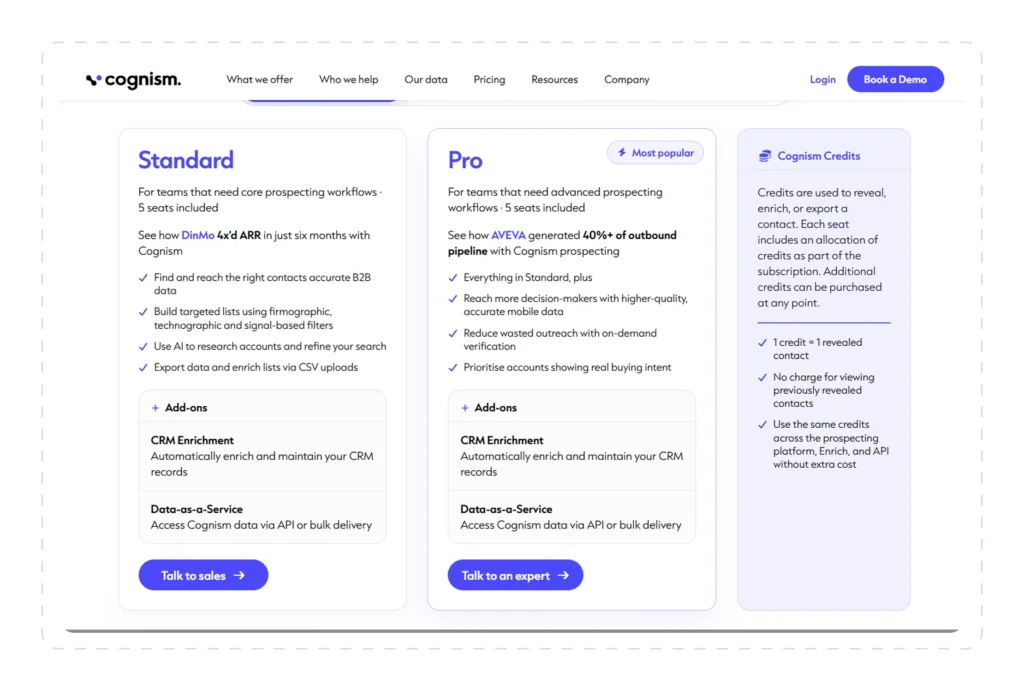
Pricing: You’ll need to “Talk to sales” to get a quote for either the Standard or Pro plan, which both come with 5 seats each, because Cognism doesn’t publish its prices publicly.
Coupler.io
Coupler.io pulls prospecting data out of a dozen different tools and stitches it into reports that update on their own.
Coupler.io solves an important problem in sales prospecting that many overlook: keeping prospect data in sync across your sales stack. You can connect Salesforce to Google Sheets with Coupler.io, for example, and build a dashboard that automatically updates with the exported data, say, every hour.
Best for:
Sales ops and RevOps teams who need to automate data flows between prospecting tools, CRMs, and analytics platforms, besides automated reporting on prospecting activity.
Key Use Cases:
- Pulling prospecting data from a CRM, dialer, and email tool into a single dashboard
- Automating weekly pipeline and activity reports
- Keeping prospecting databases updated with new leads
- Backfilling and enriching historical prospecting data
Prospecting Features:
- Import prospecting data from CRMs, spreadsheets, marketing platforms, and databases
- Consolidate lead, opportunity, and sales activity data into a single destination
- Create custom prospecting dashboards using BI tools
- Automatically recreate and refresh prospecting reports on a scheduled basis
Automation Features:
- Schedule automatic data imports at recurring intervals
- Refresh reports without manual exports
- AI-assisted data analysis and formula generation
- Automatically merge data from multiple prospecting and CRM platforms
Data Compliance & Account Safety:
- Secure cloud-based infrastructure
- SOC 2 Type II certification
- Permissioned, connection-level access to each data source
Pros:
- Solves the data silo problem in prospecting stacks
- Eliminates repetitive manual reporting
- Wide source coverage without needing a developer to set it up
Cons:
- Not a prospecting tool in and of itself; data transfer only; no sourcing capabilities
- Requires existing prospect data to act upon
- No native outreach or prospecting automation features
Integrations: HubSpot, Pipedrive, Google Ads, Facebook Ads, TikTok Ads, Google Sheets, Claude, ChatGPT, Copilot, Cursor, Custom MCP, Looker Studio, Google BigQuery.
Deployment: Cloud-based, no-code web platform.
Pricing: Starter at $24/month (annual billing), Active at $99/month (annual billing), Pro at $199/month (annual billing), and custom Business/Enterprise plans for larger data volumes. Free trial available.

How to Choose the Best Sales Prospecting Software
Your prospecting tool should make finding and engaging potential buyers easier, not more complicated. If your team jumps between a data source, an enrichment tool, an outreach platform, and a CRM just to connect with one prospect, it’s probably time to simplify.
Features to Look For
- Comprehensive prospecting capabilities: Look for software that helps you find, enrich contacts, qualify, and organize prospects into structured workflows instead of handling only one part of the process.
- Automating mundane but necessary tasks: Top prospecting tools streamline routine LinkedIn actions, list creation, outreach, CRM updates, scheduling, and reporting.
- The right tool for the job: Don’t expect a scheduling tool like Calendly to find leads or a data provider like ZoomInfo to automate outreach. Most effective stacks pair a data source with an outreach or engagement tool.
Common Buying Mistakes
- Trying to replace your entire sales stack with one tool: No single platform excels at every aspect of prospecting. Many high-performing sales teams combine specialized solutions for prospect discovery, outreach, CRM management, meetings, and analytics.
- Treating compliance as an afterthought: Confirm a vendor’s data-sourcing and calling compliance before a campaign goes out, not after a prospect complains.
- Choosing software based only on price: The cheapest option often lacks the automation, integrations, or reporting capabilities needed as your sales organization grows.
Why Teams Choose Dripify for Sales Prospecting
In contrast to other prospecting stacks, Dripify consolidates sourcing, verification, and outreach into a single workflow.
A rep can pull a list from LinkedIn Search, Sales Navigator, Recruiter Lite, a saved group, or a CSV, and then Dripify performs the email lookup before the first message is sent. There is no exporting to a spreadsheet and pasting into a separate verifier in between.
After that, the enriched prospects will be automatically fed into a sequence that includes visiting the prospect’s LinkedIn profile, asking to connect, sending a message, and following up via email.
With Dripify prospecting tool you can:
- Prospect sourcing from multiple LinkedIn channels
- Built-in Email Finder & Verifier
- Native LinkedIn and email prospecting sequences
- Behavior-based workflow automation
- Shared team workspaces and centralized prospect management
- Campaign analytics and performance reporting
- Smart and adjustable account-safety controls
- Cloud-based automation that continues running even when you’re offline
Many sales prospecting tools excel at one stage of the process. Some focus on contact data. Others specialize in CRM management, calling, meeting scheduling, or conversation intelligence. Dripify brings everything together.
Start your free Dripify trial today. Spend less time managing tools and more time starting conversations that turn into opportunities.
We compared 10 of the best sales prospecting tools in 2026 based on their prospecting capabilities, use cases, automation features, integrations, deployment, data quality & account safety, and pricing to help you pick a platform that best fits your sales workflow.
Tired of spending hours searching for prospects, only to end up with dead-end leads and low response rates? Sales prospecting tools help you find, qualify, and reach the right prospects faster and at scale.
See which platforms will actually keep your pipeline full.
Best Sales Prospecting Tools FAQ
Sales prospecting tools generally fall into several categories.
- Sales intelligence platforms help you find companies and decision-makers
- LinkedIn automation tools streamline prospecting on LinkedIn
- CRM systems organize and track leads throughout the sales cycle
- Communication platforms support calls and meetings, while analytics tools help measure prospecting performance
Many sales teams use a combination of these tools to build a complete prospecting workflow. Dripify LinkedIn sales automation tool combines various sales prospecting actions into one platform, from finding prospects on LinkedIn to warming them up and data enrichment to multichannel outreach.
Absolutely. In fact, most high-performing sales teams use a combination of tools that complement each other.
A typical stack might include a data provider (like ZoomInfo or Cognism) for lead sourcing, an outreach platform (like Dripify) for engagement, a CRM (like Pipedrive) for pipeline management, and a conversation intelligence tool (like Gong) for coaching and analysis.
Free tools can be useful for individuals, solopreneurs, and very small teams that are just starting out.
They typically offer limited credits, basic features, and no team collaboration. However, they rarely provide enough capacity for consistent, scalable prospecting.
Yes, but safety means different things for different tool types:
- LinkedIn prospecting tools: Safety comes from built-in safeguards like randomized delays, daily limits, and account warm-up. Cloud-based platforms are safer than browser extensions that rely on session cookies.
- B2B data providers: Safety means GDPR/CCPA compliance, transparent data sourcing, and verified contacts. Reputable vendors invest heavily in compliance to protect your team from legal risk.
- Communication tools: Safety involves enterprise-grade security, encryption, and access controls for handling prospect conversations and meeting data.
Octopus CRM is a strong choice. It automates common LinkedIn activities like profile visits, connection requests, follow-up messages, and campaign management at an affordable price, making it well-suited for freelancers, recruiters, consultants, and small businesses.


![Best Chrome Extensions for LinkedIn Lead Generation 2026 [8 Lead-Hunting Picks Inside]](https://dripify.com/wp-content/uploads/2026/07/Best-Chrome-Extensions-for-Lead-Generation-on-LinkedIn-2026-1-png-1.avif)


Prospect and close deals at scale
Run your LinkedIn or email campaign today, see results in 48 hours.
Free 7-day trial included
Book a demo (for teams of 10+)
