
Email Finder Credits Explained
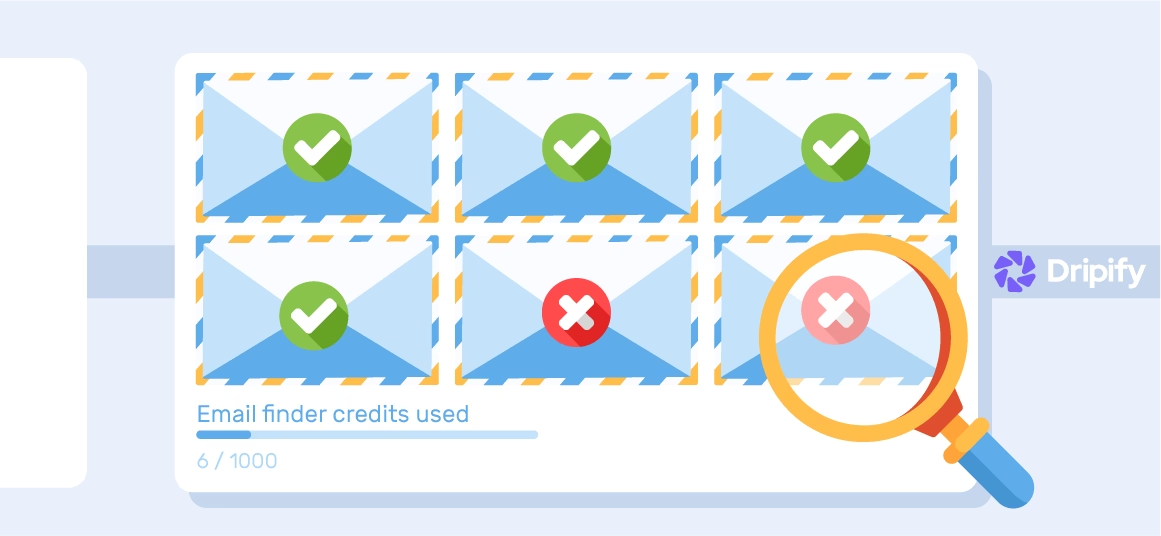
You can find the email addresses of all your prospects on LinkedIn. As you may know, finding the email addresses of your 1st level LinkedIn connections is somewhat easy.
But 2nd and 3rd level connections? Well, those have always been a little harder to find. However, if you do find them, they can be a game-changer for your business.
That’s because those emails give you the power to:
- Send email follow-ups to those who ignored your connection request;
- Export a CSV file with email addresses and use it for your marketing purposes.
So, how do you find those email addresses of 2nd and 3rd level LinkedIn connections? We at Dripify have a solution. And all you need to access that solution are email finder credits.
What Are Email Finder Credits?
An email finder credit is your currency for using Dripify sales automation tool to find and verify a prospect’s email address.
Each Dripify plan, including the free 7-day free trial, comes with 100 free email finder credits to use for 30 days. If you opt for the free trial, you’ll get to keep any unused credits for an additional 23 days. But unused credits won’t roll over to the next month.
Once the email address is successfully discovered, Dripify deducts 1 credit from your balance.
Not to worry, though. Every month that you’re subscribed, you’ll receive a fresh batch of email finder credits to use whenever you’d like within 30 days. You can always monitor the number of email finder credits used, the number of emails found, and the reset date at the right-side drop-down menu:

What Does Dripify Do After the Email Address is Discovered?
In addition to the option of exporting all leads’ data, including emails, to a CSV file, you can use Dripify’s capability to send emails in bulk.
What if You Use All Your Free Email Finder Credits and Need More?
Have you spent all your email finder credits this month? No problem at all. You can always upgrade your email finder plan from the “Billing” page of your control panel.
When you upgrade your account, your monthly credit allowance will be reset right away.
If you know you’ll be sending connection requests all year, you can save up to 35% by getting an annual package. Just note that the credit limit will continue to reset every month.
Read also: How to Find Someone’s Email?

Conclusion
Email finder credits are your currency for finding verified corporate email addresses of any users on LinkedIn. And having access to those email addresses gives you a chance to supercharge your prospecting on LinkedIn.
Read next
How to Increase Organic Traffic to My Website Using LinkedIn
A steady flow of organic traffic to your website signifies that people find your content engaging and valuable. It also…
Why Outreach Marketing Is Important for Your Business?
Marketing your business and gaining new customers is challenging in any industry. When you’re operating a small business, it’s even…
Everything You Need to Know About LinkedIn Stories
Stories are a vital feature of most social media platforms today. Walking in the footsteps of other social networks, LinkedIn…

What Is a Buyer Persona and Why Is it Important?
Every successful marketing strategy has one secret behind it – knowing your audience.In fact, it’s super challenging to craft a…

14 Best SAAS Management Platforms
The best SaaS management platform is the most important tool for your business. SaaS management platforms help you manage your day-to-day…
![B2B Cold Email Response Rate [Tips and Examples]](https://dripify.com/wp-content/uploads/2025/02/6-1-1.webp)
B2B Cold Email Response Rate [Tips and Examples]
It is no secret that cold emailing is still a powerful tool for B2B marketers and sales professionals alike. The…
Prospect and close deals at scale
Run your LinkedIn or email campaign today, see results in 48 hours.
Free 7-day trial included
Book a demo (for teams of 10+)
