Had used Dripify before as well, and couldn’t stop vouching for it to my Senior. Dripify is that one tool which can make your Outbound Prospecting seamless. Excellent features, great UI/UX, and greater Onboarding + Support.
I’ve been using Dripify for four months and have found it very effective in building my network at a pace that I could not have imagined and to engage with new connections. The interface is easy to use and building campaigns and sequences is great.
Everything you need to book meetings in one cold email software
Cold email is getting harder to break through. Dripify covers the whole email workflow and lets you reach the same leads on LinkedIn too, so more of them end up on your calendar
Cold email automation software built for results, not just sends
Run cold email campaigns on the right leads with the right message
Most outreach falls apart because one half gets treated as optional. Cold email only works when both hold up: the wrong list wastes a good message, and a generic message wastes a good list
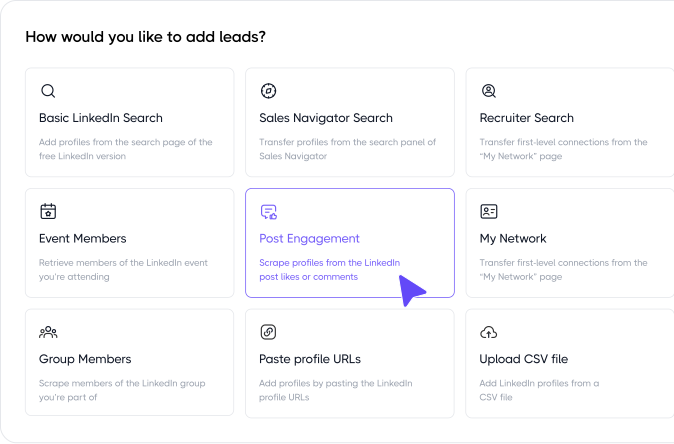
9 lead sources
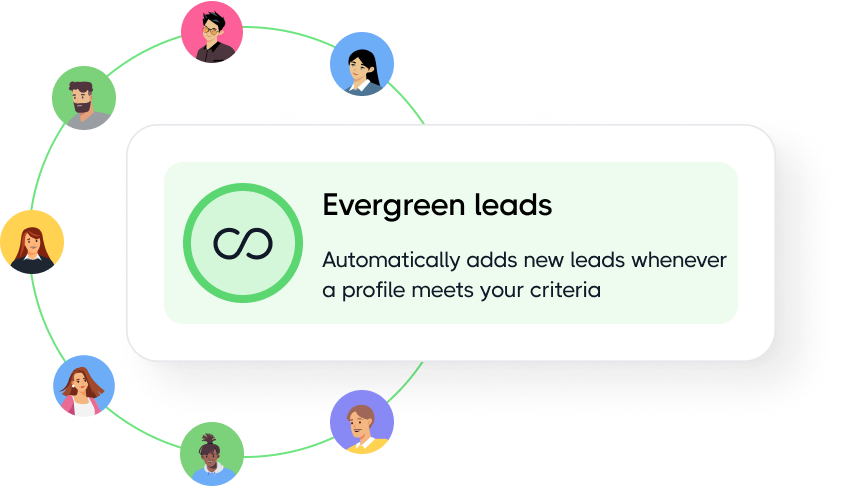
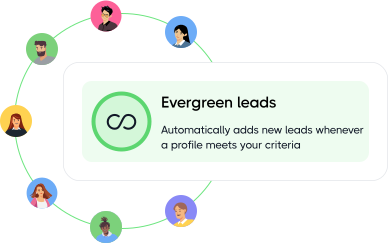
Evergreen campaigns
A lead source for every strategy
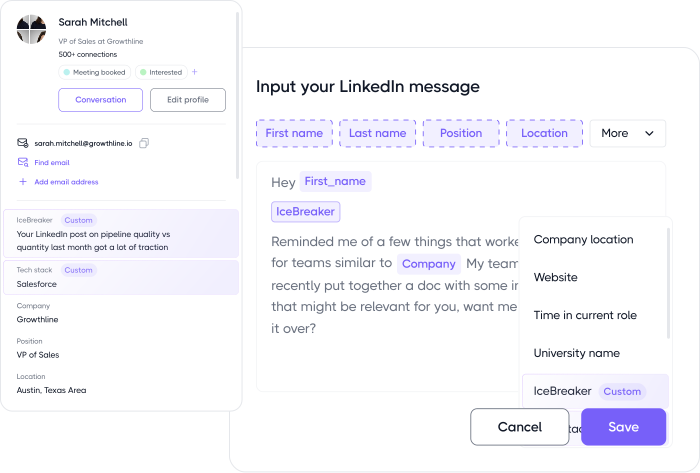
PERSONALIZATION VARIABLES
CUSTOM PROPERTIES
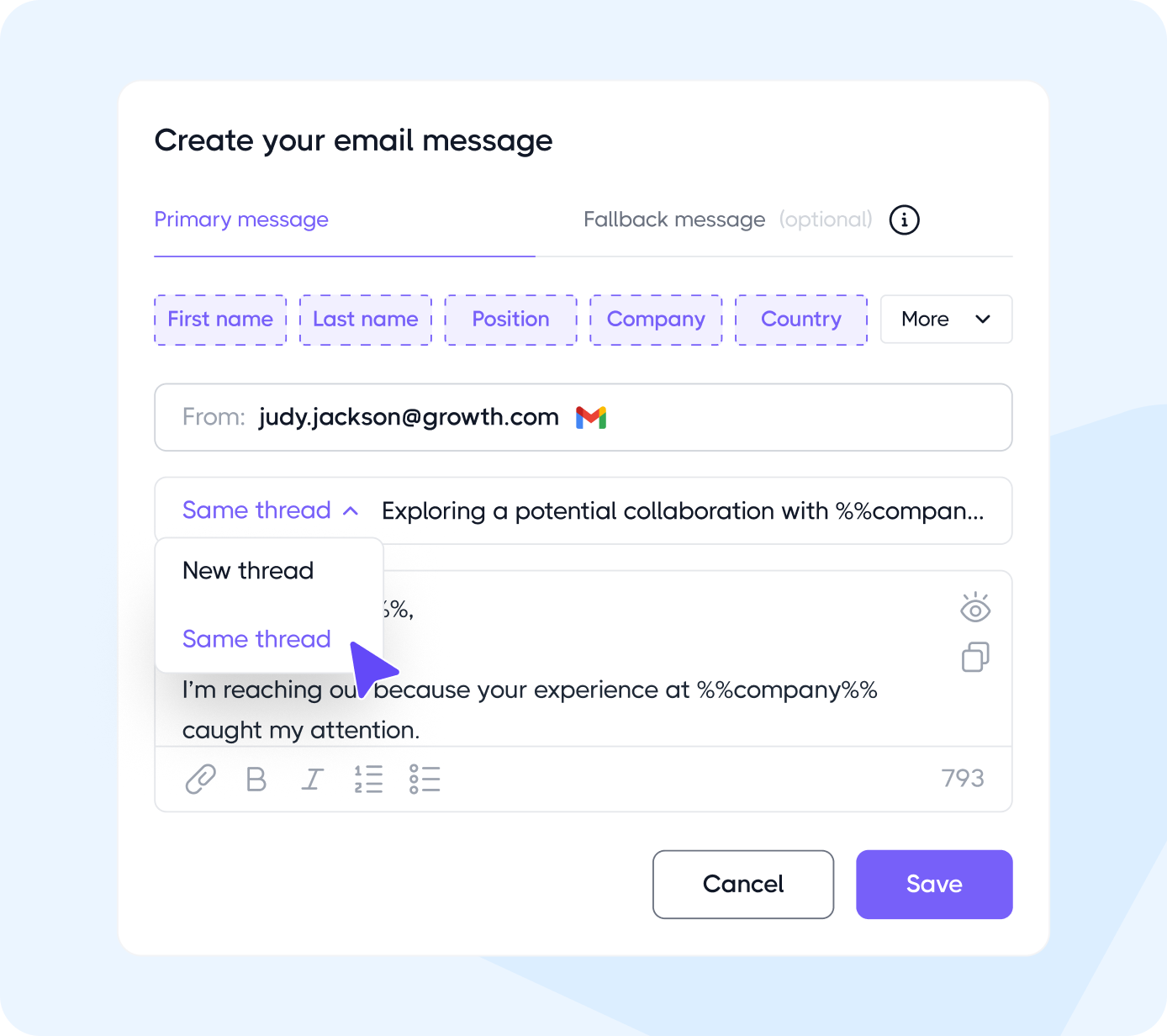
20+ built-in variables, plus custom fields
Join 40,000+ companies making cold email outreach embarrassinglyeasy
No Credit Card Required
First results in 48 hours
Make a good campaign your best one
Your first version is never your best one. Dripify gives you the numbers to find the weak spot and the tools to fix it
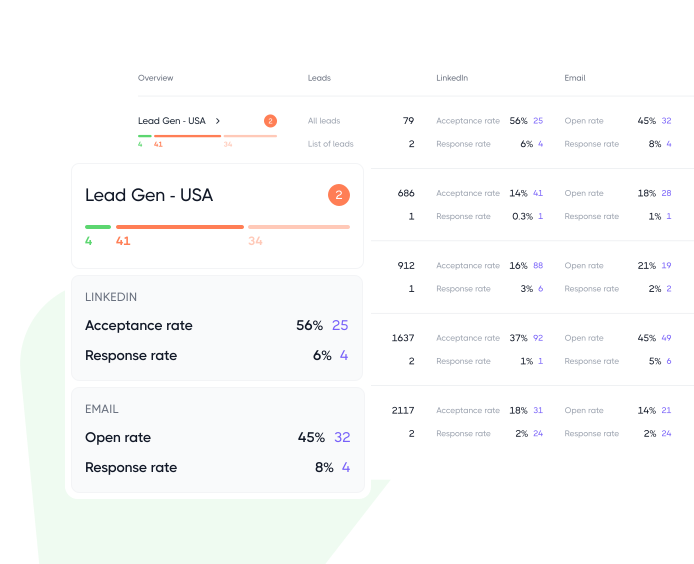
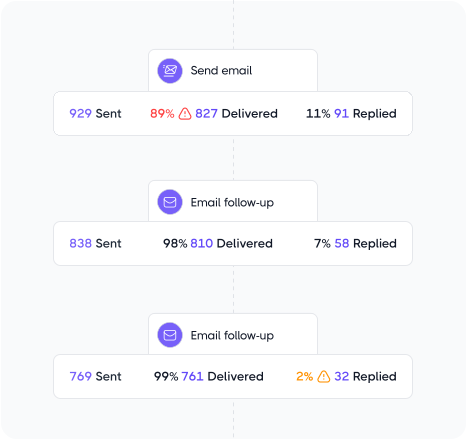
Find the step that’s costing you replies
A single reply rate for the whole campaign hides the problem. Step-by-step numbers show you which email is losing your leads
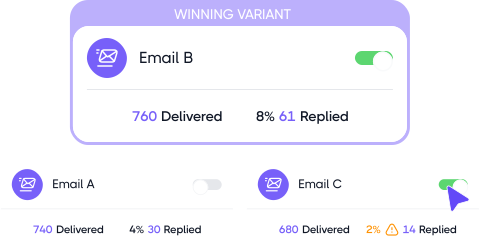
Run three versions, keep the winner
Test up to three variants of any email at once. Dripify tracks replies on each and shows you which one earned them
Know where every lead stands
Use built-in or custom tags to sort leads by status, priority, or stage and keep your pipeline easy to follow
1000+ Software
Integrate with the tools you already use
Native integrations and modern webhooks let you easily connect Dripify with all the software your team already uses
“Fantastic software for LinkedIn! Saves us a huge amount of time and we’re super happy with it. It’s a massive time saver!”
Kevin Koskella
Founder at Work Hero
“Love at first sight! The automation part hands down. You create a sequence and it’s working wonders for you, while you getting fed marketing leads from the side and work on your ‘babies’”
Arthur Isaksson
Account Manager at Tobii
“Phenomenal tool that saves time and does lead generation on LinkedIn instead of you. The cost is minimal in comparison to the level of business it can generate.”
Christian Vermeulen
Head of Sales at HHS
“Very impressive. I am a big fan of automation and Dripify is exactly what I was looking for. I have experience with other LinkedIn automation software and chrome extensions, but this one is truly superb.”
Andrew Kozic
CEO and Founder at Perfomante
“What I particularly appreciate is Dripify’s intuitive interface that makes automation simple, even for someone who isn’t tech-savvy. The ability to create drip campaigns, automate follow-ups, and track performance in real-time has saved me countless hours”
Christopher Mead
Managing Director at My Support Staff
“Having a great time using Dripify. I tried other LinkedIn automation tools like Linked Helper and Dux-Soup, but this software is just another level. I am on a free trial now, but ready to sign up once it’s over.”
Jennifer Gasenko
Marketing Director at Restream
“Dripify has helped our team with lead generation through LinkedIn tremendously. It makes it simple to use and it is on autopilot. I would highly recommend it to all business owners”
Brian Hartman
Managing Partner at Pharus Global
“I had a campaign up and running before I knew it, and it actually worked as I had intended on the first attempt. I am getting great results with the campaign and already thinking about and seeing opportunities for the next ones”
Dion-Rene Hulsman
Business Strategist at Wholistic Wealth
“Love this software and honestly, I cannot imagine working on LinkedIn without it anymore. I offer LinkedIn sales solutions to my clients and Dripify has become a great helper for me. Customer service is also fantastic.”
Angelina Shalim
Director of Recruiting at GlobalRecruit
“What I particularly appreciate is Dripify’s intuitive interface that makes automation simple, even for someone who isn’t tech-savvy. The ability to create drip campaigns, automate follow-ups, and track performance in real-time has saved me countless hours”
Christopher Mead
Managing Director at My Support Staff
“Having a great time using Dripify. I tried other LinkedIn automation tools like Linked Helper and Dux-Soup, but this software is just another level. I am on a free trial now, but ready to sign up once it’s over.”
Jennifer Gasenko
Marketing Director at Restream
“Dripify has helped our team with lead generation through LinkedIn tremendously. It makes it simple to use and it is on autopilot. I would highly recommend it to all business owners”
Brian Hartman
Managing Partner at Pharus Global
“I had a campaign up and running before I knew it, and it actually worked as I had intended on the first attempt. I am getting great results with the campaign and already thinking about and seeing opportunities for the next ones”
Dion-Rene Hulsman
Business Strategist at Wholistic Wealth
“Love this software and honestly, I cannot imagine working on LinkedIn without it anymore. I offer LinkedIn sales solutions to my clients and Dripify has become a great helper for me. Customer service is also fantastic.”
Angelina Shalim
Director of Recruiting at GlobalRecruit
Ready to make cold email your best channel?
Build smarter cold email campaigns with Dripify and turn more of the right prospects into replies, meetings, and pipeline
Right now, Gmail and Outlook are the two email providers you can connect to Dripify. Once your account is linked, Dripify acts as your multichannel outreach tool, and you can start using email as another touchpoint in your campaigns.
Don’t see your provider on the list? Let us know which one you’re using. We’re looking at expanding the options, and user demand plays a part in what comes next.
First, connect your Gmail or Outlook account to Dripify. You only need to do this step once in your account settings. Or, if you’re already building the campaign, you can connect your email right there when you add the Send Email action.
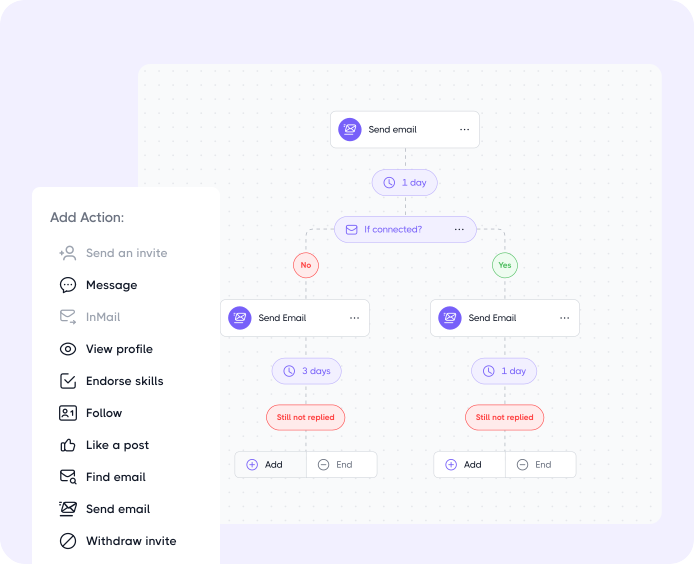
To add an email step, choose Send Email from the Add Action menu and place it wherever it makes sense in your sequence, just as you would with a connection request or LinkedIn message.
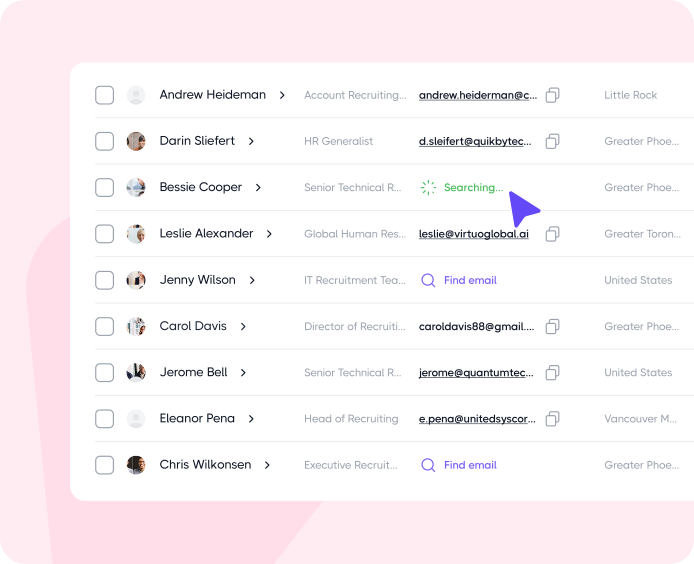
A common setup is to start with LinkedIn and bring email automation in later. For example, you can connect with a lead, use Find Email to look for their business address, and then split the sequence based on the result. If an email is found, the lead moves to an email follow-up. If not, they simply stay on the LinkedIn path.
If your corporate Outlook account is asking for admin approval, the restriction is most likely coming from your company’s Microsoft 365 settings rather than Dripify.
Many organizations don’t allow employees to connect third-party apps on their own, such as email automation tools, so an IT administrator has to approve the connection first.
In that case, your IT team will need to approve Dripify in the Microsoft 365 admin center. If you’re not sure what to ask them for, reach out to our support team. We have a step-by-step guide you can pass along to your admin.
Your emails are sent through your own connected mailbox, which means your domain keeps its own sending reputation. Dripify helps protect it by taking care of some of the things that commonly hurt email deliverability.
Emails found through Email Finder are verified before sending, so you’re less likely to hit invalid addresses and rack up bounces. Sending is paced rather than pushed out in large bursts, and if an email does bounce, Dripify stops further sends to that address so one wrong email doesn’t keep hitting your domain and hurting your reputation.
Your setup matters, too. Before scaling your cold email outreach, warm up new domains and mailboxes, configure SPF, DKIM, and DMARC, and build up your sending volume gradually.
If an email bounces, Dripify detects it automatically and stops sending further emails to that address. You don’t need to remove the lead manually, and Dripify won’t keep sending emails to an address that has already bounced.
However, you should still monitor your bounce rate. If it starts creeping up, check the addresses you’re using and make sure your list is properly verified before launching new cold email campaigns.
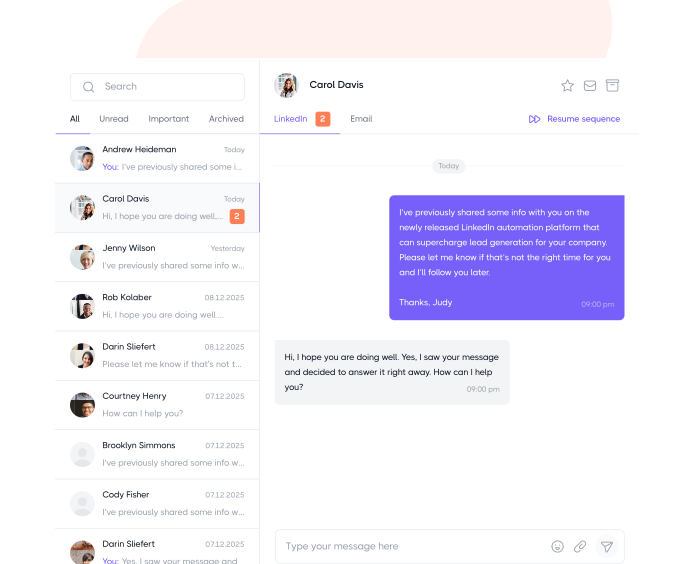
When a lead replies to your email, Dripify detects it and automatically pauses their sequence. Any upcoming follow-ups are put on hold, so you’re not continuing automated outreach with someone who has already responded.
From there, you can view the conversation in Dripify and respond as needed. The reply also feeds into your campaign analytics, so email engagement is tracked alongside your LinkedIn activity.
With Dripify, you can send up to:
50 emails per day on the Basic plan
200 emails per day on Pro and Advanced plans
Pushing past these limits isn’t worth it for cold outreach, especially with a fresh mailbox or domain. Ease in with lower volume and build up over time. Going full throttle from day one tends to backfire on your sender reputation.
You can, but Dripify is really designed around combining LinkedIn and email. That’s where most customers see the best results.
But if email is your primary channel or the only one you want to use right now, Dripify works well as a standalone email automation software too. You can build and run email-only sequences without needing to touch LinkedIn at all.
Step 1/2
Suggest an integration
Tell us the name of the software you wish to connect with Dripify and explain how exactly you intend to utilize this integration
Suggest an integration
Please fill the following fields to continue
Thanks a ton for suggesting your integration as the next one for us
We love that you took the initiative! We'll check it out and let you know the possibility to implement it in short term. Stay tuned for an update from us!
A/B test your message
Sign up here to be first in line when our exciting new feature rolls out
You’re on the list - stay tuned!
Awesome! Thanks for joining the waitlist! We'll reach out with an exclusive email when it's ready to launch. It might take a bit, but we promise to bring the news straight to you
Free 7-day trial. No credit card required. Cancel anytime
Select topics
Step 1/5
Thanks a ton for requesting your custom masterclass!
Ready to dive in? We hear you loud and clear! Just give our sales team a tiny bit of time to personalize your quote, and we'll be in touch within 24 hours.